Site language
iwsgamesLet’s discuss your project

iWsMMO / MODULAR MMORPG FRAMEWORK

Your dream MMORPG.
More than one way to build it.

Whether you want a classic MMORPG inspired by Knight Online and Metin2, or a next-generation experience inspired by Black Desert and AION 2.

Edit ready-made systems through visual panels without writing code. Define your game’s rules, from characters and combat to the economy and party dungeons. Complete the look and content with your own world.

Being developed in Unreal Engine.

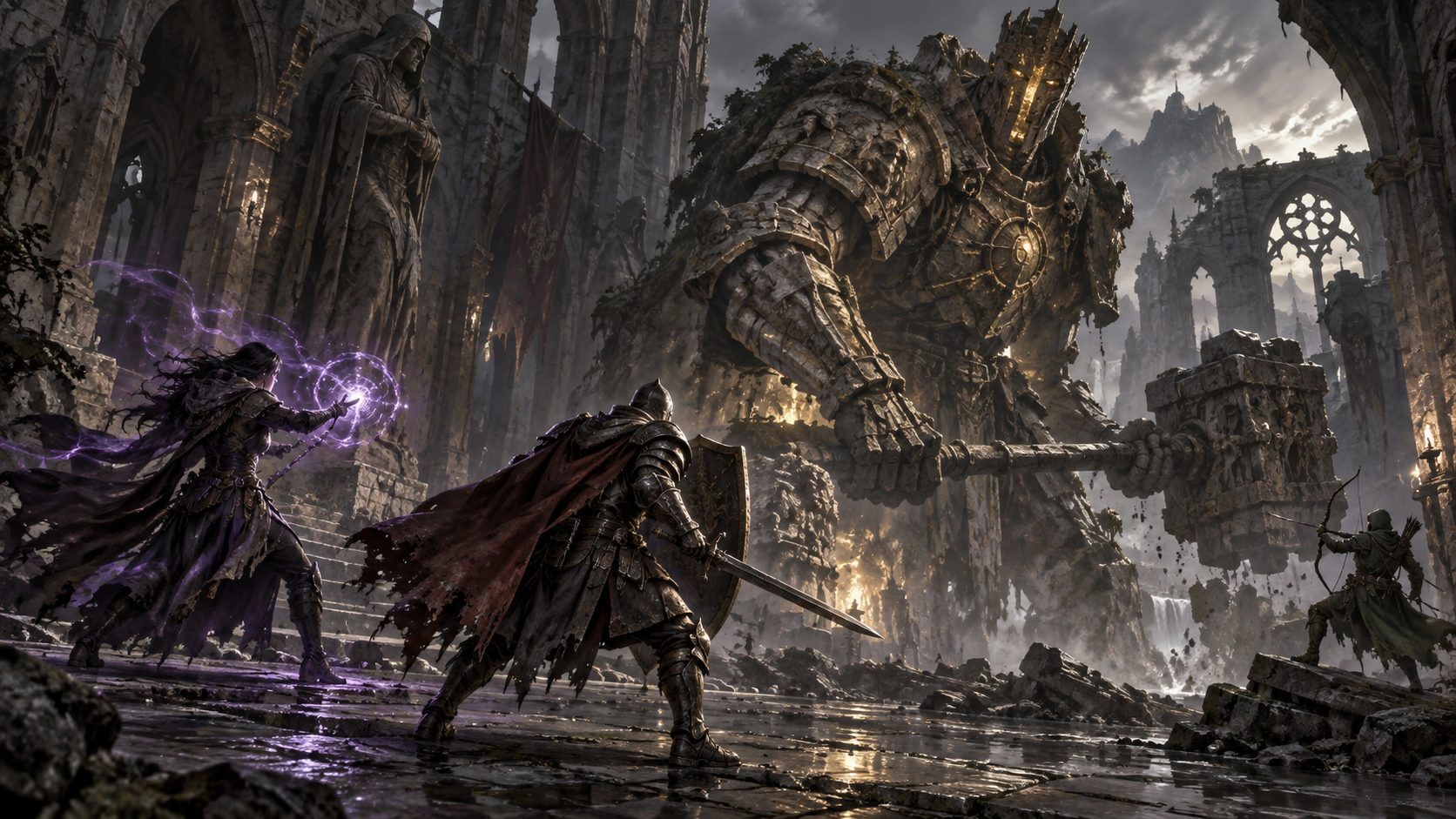
Concept art depicting a party of spellcasting adventurers facing a giant guardian in a fantasy courtyard.
Concept art · Not gameplay footageYour world.
Your experience.
24system areas
241feature and setting details
12visual editor panels

CLASSIC, NEXT-GENERATION, AND BEYOND

Start with your own vision,
not a fixed template.

The same systems can create different experiences. How you combine their features defines your game’s character.

01 / CLASSIC MMORPG SPIRIT

Build your party.
Make your name.

Knight Online · Metin2

Target selection, class roles, monster hunting, valuable loot, item upgrades, player markets, and clan rivalry. Bring the classic MMORPG feel to your own world.

Explore classic systems

02 / A MODERN MMORPG APPROACH

Design the movement.
Make every impact count.

Black Desert · AION 2

Free aiming, movement-driven skills, area attacks, multiple projectiles, visual effects, mounts, and customizable interfaces. Shape a modern experience with your own content.

Explore modern tools

03 / AND BEYOND

Choose your own idea,
not a fixed mold.

Your world · Your rules

Combine a classic economy with modern combat. Create a distinctive game identity with party dungeons, pets, quests, and your own art style.

Explore every possibility

Game names are style references only. iWsMMO is neither a copy of these games nor a product affiliated with their brands.

THE A–Z FEATURE CATALOG

From major systems
to the smallest setting.

Open a module to see what you can do. Discover not just its name, but the details you can bring to your own game.

01Characters and world

Characters and progression

Shape a character’s identity and path to power, from the player’s first choice to long-term progression.9 feature and setting details

Editor: Character management · class and starting settings

  • Account and character flow

    Registration, login, character creation, character selection, and entering the world are parts of one experience.

  • Class-based gameplay

    Use class-specific skill, equipment, and progression rules for Warrior, Assassin, Archer, Mage, and Priest.

  • Race and usage requirements

    Link content to class, race, and level requirements. Not every character has to be able to use every item.

  • Starting setup

    Set new characters’ starting values and items to match your game design.

  • Levels and experience

    Connect monster kills and quest rewards to character progression, and show players their experience progress.

  • Stat allocation

    Create different character roles through strength, dexterity, intelligence, health, mana, attack, and defense.

  • Skill points

    Define progression choices with learning requirements, skill ranks, and prerequisites.

  • Power through equipment

    Combine base character values with the contributions of equipped items.

  • Persistent character data

    Carry character, inventory, and progression data forward through server-side persistent storage.

Link to this section
02Combat and skills

Controls and targeting

Build your own control scheme between classic target-lock combat and a more mobile, camera-directed approach.9 feature and setting details

Editor: Targeting · movement · skill settings

  • Target selection

    Select a valid enemy with the keyboard or mouse, and show its health in a separate panel.

  • Approaching a target

    Support the transition into melee combat with a behavior that approaches the selected target.

  • Click-to-move

    Move toward a selected point on the ground and update that point while the mouse button is held.

  • Keyboard control

    Take over movement with directional controls and cancel click-initiated movement when needed.

  • Selected-target attacks

    Design classic target-focused combat with skills that use only the locked target.

  • Camera-directed attacks

    Create a free-aiming feel with skills that follow the camera direction without a target lock.

  • Hybrid targeting

    Define skills that use a valid selected target when available, and the camera direction otherwise.

  • Target circle

    Match the indicator beneath a selected character or enemy to your interface’s visual style.

  • Target validity

    Use rules that clear the target lock when a target dies or moves beyond the allowed distance.

Link to this section
03Combat and skills

Combat and damage

Build a combat balance in which weapons, armor, and skills change the outcome.10 feature and setting details

Editor: Combat rules · skill and enemy profiles

  • Melee combat

    Use contact from weapons or defined body points during an attack.

  • Single and dual hands

    Create attacks for the main hand, off hand, or both hands.

  • Animation-based timing

    Match the active hit window to the attack animation.

  • Attack and defense relationship

    Combine character power, weapon contributions, and target defense in damage calculations.

  • Different damage types

    Create different combat roles through physical and magic-based damage types.

  • Critical hits and resistance

    Vary encounters using critical chance, resistance, and supported evasion effects.

  • PvE and PvP balance

    Adjust skill effects against players and monsters with separate multipliers.

  • Single or multiple targets

    Set how many valid targets an attack can affect.

  • Hit feedback

    Strengthen the impact of a hit with damage numbers, critical indicators, and camera reactions.

  • Server-determined outcomes

    Damage is determined by the game server’s rules, not by what the player’s screen displays.

Link to this section
04Combat and skills

Modular skill design

Define more than a skill’s damage: decide how it starts, who it reaches, and how it feels.12 feature and setting details

Editor: MMO Skill Control

  • Identity and description

    Build a clear skill catalog with names, descriptions, icons, and display order.

  • Class and branch

    Connect basic, main, and utility skill branches to your class structure.

  • Learning requirements

    Set required levels, point costs, prerequisite skills, and rank requirements.

  • Active and passive skills

    Combine activated skills with passive abilities that take effect once learned.

  • Damage scaling

    Balance skills through fixed contributions and values linked to attack power.

  • Mana and cooldown

    Set each skill’s resource cost and reuse interval separately.

  • Cast time

    Create instant skills or abilities that activate after a defined preparation period.

  • Range and target limits

    Configure reach, effect radius, and target count independently.

  • Success chance

    Set an effect’s application chance to create skills that do not produce the same result on every hit.

  • Weapon requirements

    Distinguish skills that need an equipped weapon from those allowed without one.

  • Movement options

    Define skills that play in place or use movement from a suitable animation, and set whether manual movement is allowed during use.

  • Animation and effects

    Match animations, playback speed, VFX, and trigger timing to the skill’s identity.

Link to this section
05Combat and skills

Support, buffs, and debuffs

Make combat about more than reducing health. Design team support, area control, and counterplay.15 feature and setting details

Editor: MMO Skill Control · effect editing

  • Healing

    Create skills that heal the caster, a selected ally, or party members within range.

  • Damage and healing over time

    Set durations and application intervals for poison, burning, and gradual health regeneration.

  • Stat buffs

    Give characters temporary advantages through attack, defense, movement speed, and supported maximum-health effects.

  • Defense reduction

    Create openings for team attacks with effects that lower the target’s defense.

  • Slowing

    Design single-target or area skills that reduce movement speed.

  • Blindness presentation

    Adjust blur and darkness strength to convey the effect on the affected player’s screen.

  • Stealth and detection

    Use stealth effects and abilities that reveal hidden characters.

  • Crowd-control effects

    Change combat pacing with stun, root, and silence.

  • Repositioning

    Combine teleport-to-target, pull-to-caster, and knockback effects with different skills.

  • Resurrection

    Return a valid fallen ally to combat with a defined percentage of health.

  • Effect removal

    Limit cleansing harmful effects or removing beneficial effects by category.

  • Life and mana steal

    Return a percentage of actual damage dealt to the caster as health or mana.

  • Reflection and mana protection

    Create effects that reflect part of incoming damage or absorb it using mana.

  • Duration and stacking rules

    Manage repeated applications with duration refresh, strongest-effect preservation, and stack accumulation.

  • Effect-specific visuals

    Configure the applied effect’s appearance, duration, and position on its target separately.

Link to this section
06Combat and skills

Area skills and indicators

Show players where their attacks will land. Design the area’s appearance together with its effect.9 feature and setting details

Editor: MMO Skill Control · MMO UI Control

  • Ground targeting

    Use area skills placed with the mouse without relying on a selected character.

  • Placement range

    Set how far from the player an area can be placed.

  • Effect radius

    Match the visual targeting indicator to the skill’s effect size.

  • Circle design

    Build your own targeting style with a suitable indicator material, color, appearance, and opacity.

  • Shared or custom style

    Use the global circle appearance or define a separate look for a particular skill.

  • Invalid-area feedback

    Give players visual guidance when they move beyond the permitted range.

  • Repeated area hits

    Create a one-time effect or damage that repeats at defined intervals.

  • Ground and target effects

    Set the effect at the chosen point separately from effects on affected characters.

  • Niagara and Cascade

    Use supported modern and legacy effect assets for area presentation.

Link to this section
07Combat and skills

Multiple projectiles and VFX patterns

Create different skill presentations, from a single fireball to an ice barrage, and from straight shots to meteor rain.10 feature and setting details

Editor: MMO Skill Control · projectile and VFX settings

  • Projectile count

    Change a skill’s rhythm with single, double, triple, or five-projectile patterns.

  • Delay between shots

    Launch projectiles together or at specified time intervals.

  • Launch point

    Launch from a suitable attachment point on the character or weapon, and adjust the position.

  • Speed and lifetime

    Adjust speed, acceleration, range, and time in the scene.

  • Straight or curved paths

    Create a different visual feel with linear or arcing flight.

  • Weaving motion

    Vary flight through lateral and vertical deviation, wave count, and final approach behavior.

  • Target tracking

    Use projectiles that follow a target or travel in a defined direction.

  • Separate effect layers

    Select launch, flight, and impact effects independently.

  • Meteor pattern

    Define server-controlled impact points spread over time alongside a single area VFX.

  • Barrage pattern

    Match multi-part VFX to projectile timing without leaving damage decisions solely to visual particles.

Link to this section
08Characters and world

Enemies and boss encounters

Design more than a powerful creature: build an encounter that responds to player behavior.13 feature and setting details

Editor: MMO Enemy Control

  • Creature profiles

    Create enemies of different difficulties with names, levels, health, damage, and defense.

  • Models and animations

    Change the appearance by assigning a compatible model and idle, walk, and run animations.

  • Aggression options

    Define enemies that attack on sight or respond only after taking damage.

  • Line of sight

    Use visibility checks that account for walls and obstacles during initial detection.

  • Roaming and pursuit

    Set the random roaming area, player detection distance, and pursuit boundary.

  • Walking and running

    Set movement speeds and the distance that triggers running for each enemy profile.

  • Attack variety

    Use multiple attack animations, each with its own damage, speed, and range.

  • Attack rhythm

    Shape the rhythm with attack intervals, random pauses, and sequential or randomized animations.

  • Sidesteps and retreat

    Add left, right, or backward movement after attacks when compatible extra animations are available.

  • Melee, ranged, and area attacks

    Use weapon contact, body points, targeted projectiles, and area-hit options.

  • Targeting in crowds

    Vary group combat with target switching between valid players and multi-target hits.

  • Death and respawning

    Set the death animation, corpse visibility duration, respawn delay, and object spawned on death.

  • Rewards and nameplates

    Set experience, gold, and item drops, together with the distance and colors of name and health displays.

Link to this section
09Characters and world

Quests and story flow

Give players more than tasks: give them reasons to move through your world.10 feature and setting details

Editor: MMO Quest Control

  • Quest storytelling

    Write your own story through titles, summaries, descriptions, and completion text.

  • Quest givers

    Link quests to the relevant NPC profiles and decide where they are obtained in the world.

  • Level requirements

    Offer quests according to the character’s level and stage of progression.

  • Objective types

    Use supported objectives such as killing enemies, obtaining or handing in items, talking, and reaching locations.

  • Multiple objectives

    Build more substantial quests with several tracked objectives and required counts.

  • Progress tracking

    Show active quests, quests ready for turn-in, and quests whose rewards have been claimed.

  • Quest markers

    Highlight characters who offer quests or accept turn-ins with visual markers.

  • Reward setup

    Support different characters with experience, gold, fixed-item, and class-specific item rewards.

  • Pet rewards

    Unlock a pet as a quest reward to give the player a new companion.

  • Abandoning quests

    Use abandonment and duration information in the quest flow where the quest definition allows it.

Link to this section
10Items and economy

Items and inventory

Define even the smallest unit of your game’s economy: the item in a player’s bag.10 feature and setting details

Editor: MMO Item Control

  • Item catalog

    Manage weapons, armor, accessories, consumables, and other supported item categories.

  • Names, descriptions, and icons

    Decide how items look and how they are described to the player.

  • Usage requirements

    Define class, race, level, and equipment-slot requirements.

  • Stacks and quantities

    Set stack limits and quantity-based operations for each item type.

  • Value and weight

    Manage economic value and weight fields in each item definition.

  • Drag and drop

    Move items between slots and use familiar inventory interactions in the relevant panels.

  • Quick actions

    Support right-click use or equipment actions for eligible items.

  • Consumables

    Connect potions and support items to hotbars.

  • Detailed tooltips

    Show item properties and requirements in tooltips that adapt to the content length.

  • Catalog management

    Manage your item collection with tools for adding, updating, and deleting records.

Link to this section
11Appearance and interface

Equipment and character appearance

The same framework, your own models. Create a distinctive identity with every piece your character wears.8 feature and setting details

Editor: Item editing · appearance and clothing tools

  • Your own content

    Connect compatible characters, weapons, armor, and accessories you have the rights to use.

  • Equipped pieces

    Update the character’s appearance when equipment is put on or removed.

  • Attachment points

    Match weapons and accessories to suitable skeleton points, and adjust their position and orientation.

  • Stat contributions

    Vary character builds through equipment attack, defense, and supported bonuses.

  • Durability

    Make item durability and repairs part of equipment use.

  • Hiding the body beneath clothing

    Use visibility masks for compatible body and clothing pairs to reduce clipping through garments.

  • Per-piece exclusions

    Exclude clothing that should not hide the body, without forcing capes and moving parts into the same rule.

  • Content compatibility

    Prepare model, skeleton, animation, and attachment settings for your project. Different models may need adaptation.

Link to this section
12Items and economy

Loot and rewards

Define the value of defeating a creature, and connect hunting, item discovery, and progression.8 feature and setting details

Editor: Enemy loot profiles · reward catalogs

  • Enemy-specific loot

    Use a different item pool for each creature.

  • Reward amounts

    Set experience gains and minimum–maximum gold ranges.

  • Item drop setup

    Balance rarity and earnings through supported drop probability and quantity fields.

  • Catalog selection

    Link loot contents to records in the item catalog.

  • World loot

    Use collectible reward objects and a loot interface after enemies are defeated.

  • Party rewards

    Support group experience gains through eligibility and range rules.

  • Pet collection

    Combine eligible loot with companion collection behavior.

  • Persistent rewards

    Complete the addition of rewards to the bag and character through persistent storage.

Link to this section
13Items and economy

NPCs, vendors, and banks

Make your town more than scenery. Create places where players shop, repair equipment, and store their savings.10 feature and setting details

Editor: MMO Vendor Control · NPC services

  • Different NPC roles

    Link supported services such as shops, banks, and quests to characters in the world.

  • Vendor profiles

    Give each merchant a separate product catalog.

  • Buying and selling prices

    Set purchase and resale values for products.

  • Quantity-based shopping

    Support buying several products through quantity selection and a shopping cart.

  • Bulk selling

    Use flows that let players sell eligible items to vendors.

  • Equipment repairs

    Offer a service to repair items with reduced durability.

  • Bank storage

    Use item storage and transfer flows between the bag and bank.

  • Distance-based interaction

    Account for the appropriate distance between the player and service point.

  • NPC overhead labels

    Adjust the appearance and visibility distance of names and service information.

  • Validated shopping

    Use a shopping flow in which the server validates money, prices, quantities, and bag capacity.

Link to this section
14Items and economy

Item upgrades and progression

Turn a found item into a long-term goal. Define the value of every upgrade tier.9 feature and setting details

Editor: MMO Item Upgrade Control · item progression panel

  • Item-specific recipes

    Define which item upgrades from which level and the materials it requires.

  • Gold and material costs

    Set the economic cost separately for each upgrade step.

  • Success chance

    Balance risk and reward with success rates for each tier.

  • Booster items

    Use booster items that contribute to the success chance in eligible recipes.

  • Current failure rule

    Under the current upgrade rules, a failed attempt returns the item to +1.

  • Stats by tier

    Define stat progression for supported weapon, armor, and accessory levels.

  • Different progression curves

    Adjust item power using fixed, additive, or ratio-based progression.

  • Upgrade presentation

    Combine the upgrade interaction with animations, effects, and a results interface.

  • Server-side resolution

    Manage material consumption, gold cost, and upgrade results in the same validated transaction flow.

Link to this section
15Items and economy

Gem breaking and surprise rewards

Turn collected special items into reward experiences that spark curiosity.8 feature and setting details

Editor: MMO Gem Break Control

  • Breakable items

    Choose the source item used to generate a reward.

  • Reward pools

    Define several possible rewards for a single source item.

  • Weighted selection

    Set each reward’s selection weight relative to the others.

  • Reward quantities

    Set how many of the selected item will be awarded.

  • Recipe management

    Enable and update gem recipes and manage them alongside the catalog.

  • Interaction and animation

    Connect gem breaking to its world object and animation presentation.

  • Bag checks

    Use eligibility and capacity checks for the source item and reward.

  • One transaction, one result

    Resolve source consumption and reward delivery through a server-side transaction.

Link to this section
16Items and economy

Player markets and trading

Do not leave your economy entirely to NPC prices. Create places for players to trade with each other.10 feature and setting details

Editor: Player market · trading rules

  • Player stalls

    Use market stalls where players can offer items in the world.

  • Buying and selling offers

    Vary player-to-player commerce through supported buy and sell offers.

  • Prices and quantities

    Make item counts and asking prices part of player-driven listings and offers.

  • Market requirements

    Set rules such as minimum level and allowed maps.

  • Stall spacing

    Set the distance between stalls and the range for browsing them.

  • Market appearance

    Customize the stall artwork, title height, and item previews.

  • Mutual trading

    Let two players inspect each other’s item and currency offers.

  • Confirmation flow

    Finalize a trade through offer locking and confirmation by both players.

  • Item and currency validation

    Apply server-side checks for ownership, quantities, balances, and up-to-date data.

  • Combined transfer

    Resolve exchanges so that the item and currency transfers complete together.

Link to this section
17Community and competition

Parties and cooperative play

Build a group experience in which players complement each other.8 feature and setting details

Editor: Party system · group support skills

  • Party creation

    Use invitation and membership flows that bring players together.

  • Group management

    Track the party through leader and member information.

  • Member panel

    Show names, classes, levels, health, and mana in one panel.

  • Member targeting

    Make party members selectable targets for support skills.

  • Shared experience

    Support rewards for eligible members according to range and reward rules.

  • Party healing

    Heal party members within range, including the caster.

  • Group support effects

    Use buffs that affect members in an area and target-specific visual effects.

  • Group coordination

    Keep cooperative play going with party chat and party-specific dungeon flows.

Link to this section
18Community and competition

Chat and friends

An MMO lives through its community. Give players tools to communicate and meet again.8 feature and setting details

Editor: Chat channels · friends panel

  • General chat

    Use a general channel for communicating with nearby players.

  • Party chat

    Coordinate your group through a channel limited to party members.

  • Clan chat

    Give clan members their own communication space.

  • Private messages

    Use one-to-one messaging flows between players.

  • Friend requests

    Offer ways to add friends and manage incoming requests.

  • Friends list

    Let players view their friends’ names, classes, and levels.

  • Chat interface

    Match channel and message areas to your interface design.

  • Safe input while typing

    Keep interface behavior that prevents accidental skill shortcuts while typing in text fields.

Link to this section
19Community and competition

Clans and shared goals

Give players more than a name tag: offer belonging, organization, and shared progression.9 feature and setting details

Editor: Clan system · MMO Clan Control

  • Clan creation

    Set creation rules such as level requirements, cost, and member capacity.

  • Members and ranks

    Support clan organization through membership, roles, and permissions.

  • Clan progression

    Build community progression around clan points and grade thresholds.

  • Clan vault

    Manage shared items and resources through role and limit rules.

  • Clan capes

    Express the community’s identity through cape catalogs, appearances, prices, and required grades.

  • Clan communication

    Keep the community connected through member-only chat.

  • Alliances and wars

    Apply your own rules to supported alliance and clan-war flows.

  • Territories and income

    Connect clan territory, regional income, and resource-sharing structures to your game’s competition.

  • Rewards and limits

    Manage the economic impact of competition through war duration, reward conditions, and daily limits.

Link to this section
20Community and competition

PvP and competitive areas

Balance hunting, cooperative play, and player-versus-player combat in the same world.7 feature and setting details

Editor: PvP zone rules · clan and combat settings

  • Player-versus-player combat

    Use server-controlled skill and damage flows against attackable players.

  • Zone-based rules

    Define where fighting is allowed with supported safe-area and PvP-zone checks.

  • Friend and foe distinction

    Evaluate target eligibility alongside race, group, and relevant combat rules.

  • Separate skill balance

    Adjust PvP effectiveness separately from PvE with different multipliers.

  • Team support

    Bring party healing, defensive support, and control effects into PvP combat.

  • Clan competition

    Go beyond individual competition with clan wars and territory objectives.

  • Death and return

    Link post-death return behavior to the relevant game or dungeon rules.

Link to this section
21Characters and world

Pets and mounts

Create companions that walk beside the player, collect loot, or make travel faster.12 feature and setting details

Editor: MMO Pet Control

  • Your own pet model

    Create a pet with a compatible skeletal model, materials, and idle, walk, and run animations.

  • Summoning and ownership

    Define summoning items, permanent ownership, and pets that can be unlocked with gold.

  • Following behavior

    Adjust follow distance, walking, running, turn speed, and animation transitions.

  • Automatic loot collection

    Use pet collection behavior for loot that is eligible to be collected.

  • Loot filters

    Choose what gets collected by gold, category, rarity, or selected items.

  • Owner bonuses

    Set the supported health, mana, and stat bonuses granted by the active pet.

  • Mount option

    Make eligible pets rideable and adjust their speed multiplier and appearance.

  • Mounting and dismounting

    Choose mounting, dismounting, and mounted-pose animations, and adjust transition speeds.

  • Seat alignment

    Adjust pet and rider attachment points, seat height, position, and orientation.

  • Summon and mount effects

    Set effect start times, size, position, and duration independently.

  • Pet cards

    Customize card backgrounds, model framing, camera angle, and viewing distance.

  • Preview scene

    Complete the pet menu presentation with background, brightness, and camera settings.

Link to this section
22Characters and world

Private party dungeon rooms

Turn the same dungeon design into separate room experiences where different parties face their own encounters.12 feature and setting details

Editor: MMO Dungeon Control

  • Private group rooms

    Use the structure for creating separate room sessions for different parties from the same dungeon map.

  • Participant count

    Set minimum and maximum sizes within the supported 3–8 player range, including content for 5- or 8-player groups.

  • Level and class requirements

    Set entry levels and required class diversity to match the dungeon’s difficulty.

  • Readiness and countdown

    Use group readiness states and an entry countdown.

  • Entry cost

    Create different entry requirements with gold, ticket items, and required ticket quantities.

  • Daily entries and cooldown

    Set daily entry limits and the time before players may enter again.

  • Dungeon content

    Define entry points, enemies, enemy counts, and completion objectives.

  • Checkpoints

    Create checkpoints unlocked during progress and define respawn options.

  • Time limits and party defeat

    Set time limits, full-party defeat rules, and failure behavior.

  • Reward eligibility

    Link gold, experience, and item rewards to survival and participation-time requirements.

  • Late joining and exit

    Configure late joining where permitted, exit delays after completion, and empty-room closure.

  • Map preparation

    Complete compatible map setup, spawn points, and server tests with your own content.

Link to this section
23Appearance and interface

Interface and player experience

Make the visual language of your screens as much your own as the models in your game.15 feature and setting details

Editor: MMO UI Control

  • Independent panel layouts

    Edit login, character selection, inventory, skills, targeting, and other supported regions separately.

  • Position and size

    Change screen anchors, position, width, height, and spacing.

  • Themes and layers

    Build your own interface identity with background artwork, layers, colors, and opacity.

  • Text and buttons

    Adjust text scale, content layout, and button appearance.

  • Health, mana, and experience

    Present core player indicators with layouts and visuals that suit your game style.

  • Target information

    Match target health, names, and selection indicators to your interface.

  • Skill tree

    Bring skill branches, ability information, and learning screens into the same visual family.

  • Multi-page hotbars

    Provide skill access through multiple hotbar pages and keyboard shortcuts.

  • Horizontal or vertical layout

    Change hotbar orientation and slot layout.

  • Drag-to-assign

    Drag skills and eligible items onto the hotbar and save the layout.

  • Cooldown display

    Make availability clear through a cooldown indicator on each icon.

  • Buff and debuff information

    Communicate player status through effect icons and related indicators.

  • Damage numbers

    Shape combat feedback through color, size, and relevant presentation settings.

  • In-game panels

    Design the look of bank, vendor, party, clan, pet, and other supported screens together.

  • Focus and window management

    Use interaction flows that ensure open interfaces handle mouse and keyboard focus correctly.

Link to this section
24Tools and server

Editing, servers, and administration

Support your visual editing tools with a connected foundation for gameplay and persistent data.10 feature and setting details

Editor: 12 editor panels · character and system administration tools

  • Connected panels

    Manage content with tools for enemies, skills, items, quests, vendors, interfaces, clans, pets, dungeons, gems, and item progression.

  • No-code content editing

    Change supported values, content links, and rules in the ready-made panels without writing code.

  • Your own assets

    Connect compatible models, animations, icons, materials, and effects to the relevant systems.

  • Dedicated Server

    Run multiplayer gameplay through a separate game server that players connect to.

  • Server-controlled rules

    Evaluate ownership, distance, resources, cooldowns, and operation eligibility on the server.

  • Persistent data layer

    Store character, item, currency, and progression data in the backend and database layers.

  • Character and account management

    Manage accounts, characters, inventory, and catalogs through administration tools.

  • Local testing

    Check your settings during development with local test and multiplayer trial tools.

  • Packaging and setup

    Use client and server packaging tools and server setup helpers.

  • Adapting the framework

    Combine world design, content production, and testing with your own goals. New mechanics outside the ready-made scope may need additional development.

Link to this section

BETWEEN YOUR IDEA AND YOUR GAME

12 panels.
Tools that complement each other.

Manage supported content and rule settings with visual editor panels. Each card takes you to the relevant system’s details.

START WITH A CLEAR PICTURE

Not a ready-made game copy.
A foundation for your own game.

No-code where supported.

You can edit the values, content links, and rules supported by the ready-made panels without writing code. New mechanics and custom behaviors outside that scope may require additional development.

Original with your content.

Maps, models, animations, audio, and story define your game’s identity. Content rights, skeleton compatibility, and the relevant settings must be prepared separately.

Development is ongoing.

This catalog describes the current project scope. It is not a guarantee of a finished product, completed load tests, or a specific player capacity for every system. Demo, scope, and delivery details are clarified separately.

Catalog updated: September 27, 2026. Images are conceptual and are not actual in-game footage.

YOUR QUESTIONS

From your vision
to your first step.

Can I really build both classic and modern-style MMORPGs?

The framework aims to support different MMORPG approaches without locking you into a single ready-made game format. Use classic targeting, party, and economy systems, or design a more modern experience with free aiming, movement-driven skills, area attacks, and your own visuals. This does not mean every mechanic from the reference games is included as an exact ready-made equivalent.

Is this only for experienced developers or large teams?

The visual editor panels are being designed for solo developers and teams who want to adapt ready-made systems to their own content. As a project grows, so does the work required for content production, optimization, testing, and server operations.

Can I do everything without knowing how to code?

You can edit the supported ready-made areas without writing code. Entirely new game mechanics may require additional development. Technical knowledge is needed for preparing content in Unreal Engine, packaging, and setting up servers.

Can I create party dungeons for 5 or 8 players?

Dungeon settings support party sizes from 3 to 8 players, with configurable level requirements, tickets, and rewards. The framework includes a structure for using the same dungeon design in separate group rooms. Setup for your own map and multiplayer testing are required.

Where are the demo, pricing, and license details?

This page introduces features; it is not an announced sale or license offer. We can discuss the project’s current state, demonstration options, and a scope suited to your needs through the official contact channels.

CLASSIC, MODERN, OR ENTIRELY YOUR OWN

What kind of MMORPG
do you imagine?

Let’s talk about your game’s style, priorities, and the systems you want to use. Take the first step with your own vision.